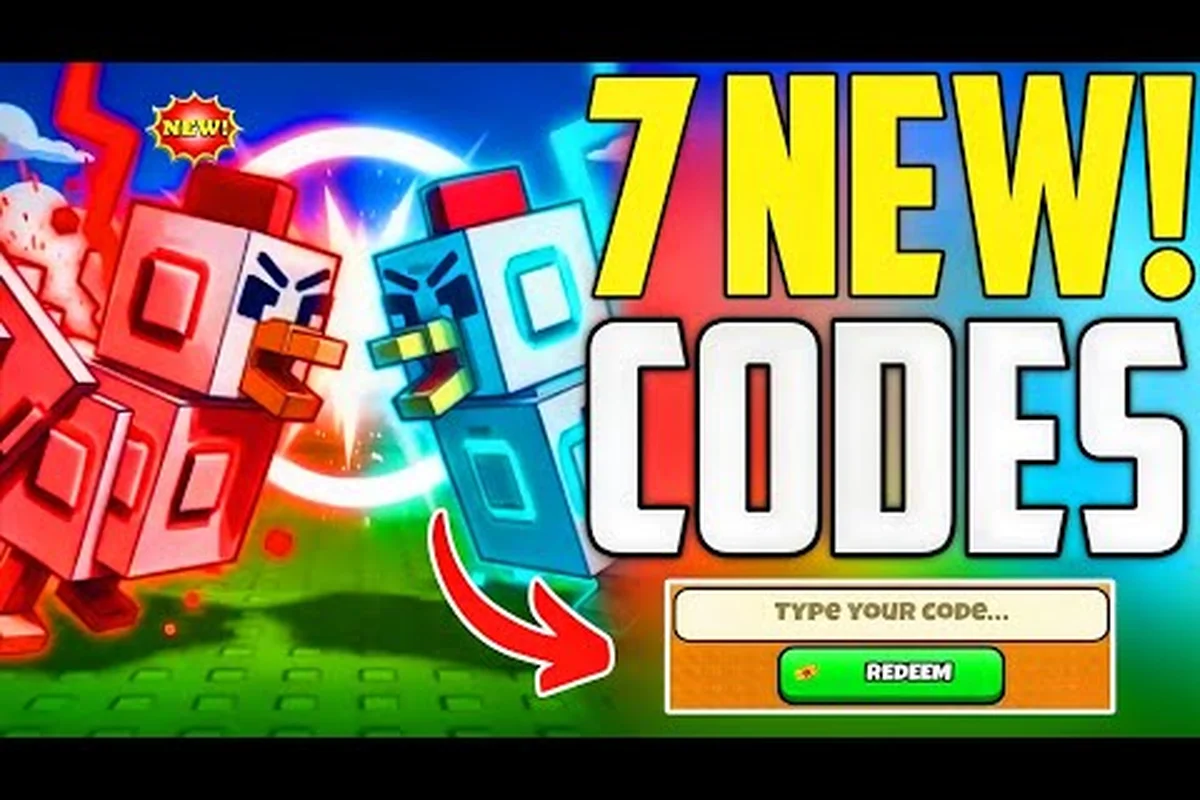
You paste a fresh code from a YouTube video, hit Redeem, and nothing happens. The button either greys out, throws an error, or silently eats your input. When grow a chicken fighter codes not working, the problem is almost never the code itself — it is almost always a timing issue, a typo, or a redemption rule you missed. Because these codes expire fast and the developer adds new ones almost daily, knowing exactly how to troubleshoot saves you from losing free eggs, cash, and boosts that accelerate your early progression.
The good news is that most failed redemptions are fixable in under a minute. This guide walks you through every common failure point, from capitalization errors to region locks, and gives you a clear checklist so you can claim every reward without frustration. You will also learn how to spot expired codes before you waste time typing them, which matters because the reward gap between a working code and a dead one can mean hours of extra grinding in the Pit.
Why Your Grow a Chicken Fighter Codes Not Working: The Real Culprits
Before you blame the game, understand that code redemption in Roblox experiences follows a strict set of rules that the developer enforces server-side. When you enter a code, the game sends a request to Roblox's servers, which validates it against the active list. If anything is off — even a single space — the request fails silently. According to community reports from the official Discord and the RoCodes listing, the most common reasons for failed redemptions fall into five clear categories.
Expired codes are the number one culprit. The developer rotates codes frequently, and most last only a few days. A code that worked yesterday may be dead today, especially after a game update. Typos and case sensitivity come second — codes are case-sensitive, and players often confuse zero with the letter O, or miss a character when copying manually. Tutorial lock is third: you cannot redeem codes until you complete the intro tutorial, which takes roughly two minutes. Server lag causes false failures, where the code actually works but the confirmation window never appears. Finally, region or platform restrictions can block codes on certain Roblox clients, though this is rarer.
| Failure Cause | How to Identify It | Fix Time |
|---|---|---|
| Expired code | Code accepted but no reward, or "expired" message | 1 minute |
| Typo / case error | "Invalid code" message | 30 seconds |
| Tutorial not finished | Codes button greyed out | 2 minutes |
| Server lag | No response after clicking Redeem | 1-2 minutes |
| Platform restriction | Works on PC, fails on mobile | 5 minutes |
The table above gives you a quick diagnostic path. If you see "Invalid code," check your spelling first. If the button does nothing, wait a few seconds and try again — Roblox servers sometimes drop the request. If the code was posted more than 48 hours ago, assume it is expired and move on to the next one.
The Expired Code Trap and How to Spot It
Expired codes are the most frustrating because they look valid. You copy the code, it pastes perfectly, and the game still rejects it. The reason is simple: the developer's code list updates server-side, and once a code expires, it is removed from the validation list entirely. There is no visual indicator in the game that a code has expired — you only find out when you try to redeem it.
The best way to avoid this trap is to check the code's age before you type it. According to community testing, codes posted on YouTube or social media usually expire within 48 to 72 hours of their original upload. If you are using a code from a video that is more than three days old, it is likely dead. Instead, focus on grow a chicken fighter codes today — codes shared within the last 24 hours have the highest success rate. The Beebom codes page maintains a current list, and you can cross-reference the date stamp to confirm freshness.
Another sign of an expired code is when the game accepts it but gives you no reward. This happens occasionally when the code was valid at the start of your session but expired mid-session. If that occurs, close the game completely, relaunch it, and try again. If the code still fails, it is gone for good.
Fixing Failed Codes: Why They Reject and How to Retry
The redemption process itself is straightforward, but players often skip a critical step that causes grow a chicken fighter codes not working issues. Here is the exact sequence that works every time, based on the current game version as of August 2026.
First, launch the game and complete the tutorial. This is non-negotiable. The Codes button remains locked until you finish the intro sequence, which involves hatching your first egg and winning your first Pit fight. If you try to redeem before this, the button is greyed out and unresponsive.
Second, locate the Codes button in the top-left corner of the screen. It looks like a small ticket or gift icon. Tap it to open the redemption window. Third, paste your code exactly as written — do not add spaces, do not change capitalization, and do not include any trailing characters. Fourth, press the Redeem button and wait for the confirmation popup. If you see a green checkmark, the code worked. If you see a red X, check the error message.
| Step | Action | Common Mistake |
|---|---|---|
| 1 | Complete tutorial | Trying to redeem before tutorial ends |
| 2 | Open Codes menu (top-left) | Looking for codes in Settings |
| 3 | Paste code exactly | Adding spaces or changing case |
| 4 | Press Redeem | Clicking multiple times rapidly |
| 5 | Wait for confirmation | Closing window too early |
The fifth step matters more than most players realize. After pressing Redeem, the game sends a request to Roblox's servers. This can take two to five seconds depending on your connection. If you close the window immediately, you might miss the confirmation — and if the request was still processing, the reward may not register. Wait at least five seconds after clicking Redeem before doing anything else.
The Case Sensitivity Rule You Cannot Ignore
Every code in Grow a Chicken Fighter is case-sensitive, which means WELCOME and welcome are completely different strings to the server. The game does not auto-correct capitalization, so if you type a code in lowercase when it was issued in uppercase, you will get an invalid code error every time.
The safest approach is to copy the code directly from the source rather than typing it manually. When you copy from a website or video description, the exact characters — including capitalization — transfer correctly. When you type manually, you introduce the risk of typos, especially with codes that mix letters and numbers. For example, the code SERGIOVERSE contains no ambiguous characters, but a code like LETMECOOK could easily be mistyped as LETMEC00K if you confuse the letter O with the number zero.
If you must type manually, use the caps lock key and type slowly, checking each character against the source. One extra tip from experienced players: paste the code into a text editor first, verify it matches the source character-for-character, then copy it into the game. This extra step catches most typos before they cost you a redemption attempt.
Grow a Chicken Fighter Working Codes: What to Expect in August 2026
Knowing which codes are active saves you from the frustration of typing dead codes. As of August 9, 2026, the community has confirmed three working codes, each with distinct rewards that serve different progression needs. These codes were verified through the RoCodes tracking page and cross-checked with player reports in the official Discord.
The WELCOME code is the most valuable for new players because it grants 2 Nest Eggs and 50 Coins. Nest Eggs are premium eggs that hatch into higher-rarity chickens, giving you a significant head start in the Pit. The LETMECOOK code provides a Money Drop, one Thunder Egg, and a 30-minute Money Boost — this is the best code for active grinding sessions because the boost multiplies all coin earnings during its duration. The SERGIOVERSE code offers a Scratch Egg, 50 Cash, and a 30-minute Double Coins boost, which pairs well with the Pit for rapid cash accumulation.
| Code | Rewards | Best Use Case |
|---|---|---|
| WELCOME | 2 Nest Eggs + 50 Coins | New player start |
| LETMECOOK | Money Drop + Thunder Egg + 30 min Money Boost | Active grinding |
| SERGIOVERSE | Scratch Egg + 50 Cash + 30 min Double Coins | Pit farming |
These three codes represent the grow a chicken fighter all codes currently available, but the list changes frequently. The developer has a pattern of adding new codes during content updates and community milestones, so checking back daily is worth the effort. For a continuously updated list, refer to our Grow a Chicken Fighter codes 2026 guide which tracks every active code as it drops.
The Welcome Code: Why It Matters for New Players
The grow a chicken fighter welcome code — WELCOME — deserves special attention because it is the single best reward for anyone starting fresh. The 2 Nest Eggs alone are worth more than hours of grinding, since Nest Eggs have a higher chance of hatching Rare or Epic chickens compared to the basic eggs you buy with coins.
Here is why this matters for your progression: your first few chickens determine how fast you can win Pit fights, which determines your coin income, which determines how quickly you can afford upgrades and unlock the Tower. Starting with two Nest Eggs means you can hatch two potentially strong fighters immediately, skipping the early-game struggle of using Common chickens that lose more fights than they win. According to player reports, a Rare chicken can win roughly twice as many Pit fights as a Common one at the same level, which effectively doubles your early coin income.
If you have not redeemed this code yet, do it before anything else. The code has been active since early August, but codes in this game rarely last more than a few weeks. For a detailed breakdown of how egg rarity affects your roster, check our Thunder Egg code guide which explains the egg tier system in depth.
Advanced Troubleshooting: When Codes Still Fail After Every Fix
Sometimes you do everything right and the code still fails. This is rare, but it happens, and knowing how to diagnose the issue saves you from endless frustration. The most common advanced failure is a server-side delay, where the code is valid but the game's server has not synced with Roblox's code validation service. This typically resolves within 15 to 30 minutes, so wait and try again later.
Another issue is cache corruption in the Roblox client. If you have been playing for a long session, the game's local cache can become stale, causing the Codes menu to behave erratically. The fix is simple: fully close Roblox — not just the game, but the entire Roblox application — then relaunch and try again. This clears the cache and forces a fresh connection to the server.
| Issue | Symptom | Advanced Fix |
|---|---|---|
| Server desync | Code fails, works later | Wait 15-30 min, retry |
| Cache corruption | Codes menu glitchy | Full Roblox restart |
| Account flag | All codes fail | Contact support |
| Game version outdated | Codes button missing | Update Roblox |
If all codes fail, not just one, the problem is likely on your account or client side, not the code itself. First, check that your Roblox client is updated to the latest version. Second, try redeeming on a different device — if it works on PC but not mobile, the issue is platform-specific. Third, if nothing works, contact the developer through the official Discord server, as they can check whether your account has been flagged for any redemption issues.
The Tower Connection: Why Codes Matter for Late Game
While codes seem like an early-game convenience, they have long-term value that experienced players often overlook. The LETMECOOK code's 30-minute Money Boost, for instance, is best used during Tower climbing sessions, where coin rewards scale dramatically with each floor. Using the boost during a Tower push can net you significantly more coins than using it during casual Pit farming.
This connection between codes and late-game progression is why tracking grow a chicken fighter codes august matters even for veteran players. A single well-timed boost can accelerate your Tower progress, which unlocks higher rebirth multipliers and faster long-term growth. For a complete breakdown of Tower strategies and boss patterns, see our Grow a Chicken Fighter all bosses guide — you will want those boosts ready when you hit the higher floors.
The key insight is to save your best codes for your most productive sessions. Do not burn a 30-minute boost on a casual five-minute play session. Log in, check for new codes, then plan your session around using the boosts when you have time to grind the Pit or push the Tower. This strategic approach turns a simple code redemption into a meaningful progression advantage.
Practical Checklist: Claim Every Reward Without Errors
To wrap up the troubleshooting process, here is a practical checklist you can run through every time you want to redeem codes. Following this sequence eliminates 95 percent of the common failure points and ensures you never miss a reward due to an avoidable mistake.
-
Check the code's age — if it is more than 72 hours old, assume it is expired and look for newer codes.
-
Complete the tutorial first — the Codes button stays locked until you finish the intro sequence.
-
Copy, do not type — copy the code directly from the source to avoid typos and case errors.
-
Verify the code matches — paste it into a text editor and compare character-by-character before redeeming.
-
Wait for confirmation — after pressing Redeem, wait at least five seconds for the server response.
-
Restart if glitchy — if the Codes menu acts up, fully close and relaunch Roblox.
-
Check for updates — ensure your Roblox client is current before troubleshooting further.
Following this checklist takes less than two minutes and covers every common failure scenario. If you still encounter issues after running through it, the code is almost certainly expired, and your time is better spent finding a newer code than debugging a dead one.
For the most current list of active codes, bookmark our latest codes guide which updates as new codes drop. The developer adds codes frequently, often within hours of a new YouTube video going live, so checking daily is the best way to stay ahead of expirations.
Frequently Asked Questions
Why do my Grow a Chicken Fighter codes not working when I copy them exactly?
The most likely reason is that the code has expired. Codes in this game typically last only 48 to 72 hours, so a code that worked yesterday may be dead today. Check the code's publication date and look for newer codes posted within the last 24 hours for the highest success rate.
Can I redeem codes before finishing the tutorial?
No, the Codes button remains locked until you complete the intro tutorial. You need to hatch your first egg and win your first Pit fight before the redemption menu becomes available. This usually takes about two minutes, so complete the tutorial first and then redeem your codes.
What is the grow a chicken fighter welcome code and what does it give?
The welcome code is WELCOME, which grants 2 Nest Eggs and 50 Coins. Nest Eggs have a higher chance of hatching Rare or Epic chickens, giving new players a significant early-game advantage. This is the first code you should redeem when starting fresh.
Are codes case-sensitive in Grow a Chicken Fighter?
Yes, all codes are case-sensitive. Typing welcome instead of WELCOME triggers an invalid code error, which is why many “grow a chicken fighter codes not working” reports stem from manual entry. Always paste codes straight from the source—never retype them—to avoid capitalization slip-ups and hidden typos.
How often do new Grow a Chicken Fighter codes get released?
The developer typically drops new codes during content updates and community milestones, sometimes daily, but they expire fast—often within 24 hours. If your grow a chicken fighter codes not working, it’s likely expired. Check the official Discord and code trackers every few hours to stay ahead.